Why Windows 11 Users Choose to Install ExplorerPatcher
Windows 11 introduced one of the biggest interface redesigns Microsoft has made in years. The operating system brought a modern visual style, centered taskbar icons, simplified context menus, and a redesigned File Explorer.
While many users appreciated the cleaner appearance, others found that several familiar productivity features from Windows 10 were removed or limited.
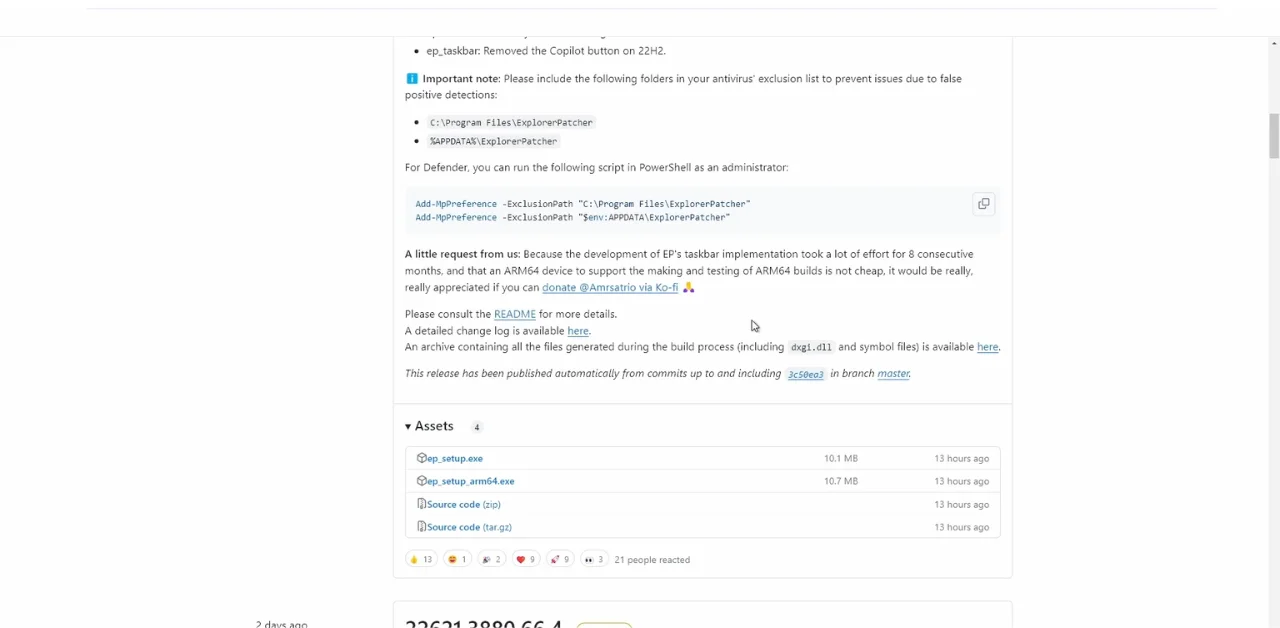
This is where ExplorerPatcher became popular. ExplorerPatcher is a lightweight, open-source customization tool designed to restore classic Windows functionality and improve the overall Windows 11 desktop experience.
For many users, ExplorerPatcher provides a balance between enjoying the modern performance and security improvements of Windows 11 while keeping the workflow and usability they were accustomed to in previous Windows versions.
Reasons for Installing ExplorerPatcher on Windows 11
One of the main reasons users install ExplorerPatcher is dissatisfaction with certain design changes in Windows 11. Microsoft simplified many parts of the interface, but some users felt this came at the cost of efficiency and customization.
The Windows 11 taskbar is one of the most common complaints. Features like taskbar labels, drag-and-drop support, and advanced customization options were either removed or reduced compared to Windows 10. Many users who multitask heavily found the simplified taskbar less practical for daily productivity.
Another common reason involves the new right-click context menus in File Explorer. Windows 11 introduced a shorter context menu with many options hidden behind an additional “Show More Options” button. While visually cleaner, this extra step can slow down workflows for users who frequently manage files and folders.
Key Features and Enhancements Provided
ExplorerPatcher includes several features that restore or improve important parts of the Windows interface.
Classic Taskbar Restoration
One of its most popular features is restoring the Windows 10-style taskbar. Users can enable taskbar labels, use the “Never Combine” option for open windows, and move the Start menu back to the left side of the screen. These changes make multitasking more organized and predictable.
Full Context Menus
ExplorerPatcher restores the classic right-click menus in File Explorer and on the desktop. Instead of requiring extra clicks to access advanced options, users can view all actions immediately. This is especially useful for people who regularly work with archives, developer tools, or advanced file operations.
File Explorer Improvements
The software also enhances File Explorer by restoring the classic ribbon interface and improving navigation consistency. Many users prefer the older ribbon because it provides faster access to commonly used tools compared to the simplified Windows 11 command bar.
Multi-Monitor and Tray Enhancements
ExplorerPatcher improves multi-monitor taskbar behavior and system tray alignment. Users can customize tray menus, clock behavior, and taskbar consistency across multiple displays, creating a smoother desktop experience.
Start Menu and Window Switching
The software also allows users to customize Start menu positioning and improve Alt + Tab window switching. These adjustments help users maintain a workflow that feels more efficient and familiar.
How ExplorerPatcher Improves User Experience
ExplorerPatcher improves user experience mainly by reducing friction in daily tasks. Many of the restored features save time by reducing unnecessary clicks and improving visibility between open applications.
For example, taskbar labels make it easier to identify active windows without hovering over icons. Users working with multiple browser tabs, documents, or software applications can switch tasks faster and with less confusion.
File Explorer improvements can also make navigation feel more natural for long-time Windows users. Familiar layouts reduce the learning curve and help users work more comfortably within the operating system.
Because the software is lightweight and open-source, many users also appreciate its transparency and minimal system impact. It focuses on practical usability improvements rather than dramatic visual changes.
Potential Considerations and Limitations
Although ExplorerPatcher offers many useful improvements, there are also some considerations users should keep in mind.
One important factor is compatibility with Windows updates. Since the software modifies parts of the Windows shell, major Windows updates can occasionally cause temporary issues such as missing taskbars, graphical glitches, or startup problems until a compatible version is released.
Users should also understand that ExplorerPatcher changes core interface behavior. While the software is widely trusted in the Windows customization community, any tool that modifies system components carries some level of risk compared to using the default operating system configuration.
In some cases, advanced customization settings may feel overwhelming for beginners who are unfamiliar with Windows shell behavior. However, most common settings remain relatively easy to configure.
Conclusion
ExplorerPatcher has become popular because it helps bridge the gap between the modern design of Windows 11 and the familiar functionality many users relied on in Windows 10.
By restoring classic taskbar behavior, full context menus, improved File Explorer navigation, and deeper customization options, it allows users to create a more efficient and personalized desktop environment.
Overall, ExplorerPatcher provides a practical solution for users who want more control over their Windows 11 experience while maintaining the familiarity and workflow efficiency of earlier Windows versions.